Home assistant
pjuter
Lights, plans, trams, dinner. Just ask.
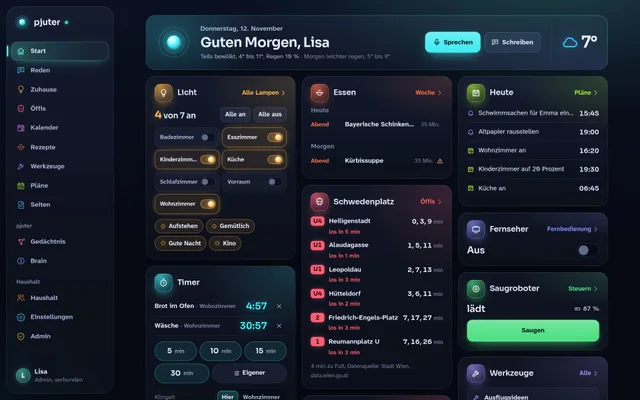
Since November 2026, an assistant I built myself has been living with us. pjuter understands German, switches the lights, knows the whole family’s appointments, says when we need to leave, and plans meals everyone at the table can eat. You talk to it in the living room or on your phone, and it answers with its voice, on the TV, or with a page on your phone.
Not public
The idea
Why I built my own assistant
There are plenty of voice assistants. In everyday family life, though, they always fell short for me: they understand little, send every word to the cloud, and know nothing about us. Which recipe can everyone at the table eat? When do we need to leave for the paediatrician to catch the tram? No off-the-shelf device ever answered that.
So I built one myself, after work and around what we actually need. The role model was J.A.R.V.I.S. from Iron Man: friendly, brief, and with a dash of dry humour. I also wanted to find out how far today’s AI tools can take you when you combine them well and run most of it on a small computer at home.
At a glance
What pjuter does day to day
One assistant for the whole family: everyone has their own space and appointments, and the shared room “Familie” holds everything that concerns everyone.
Lights
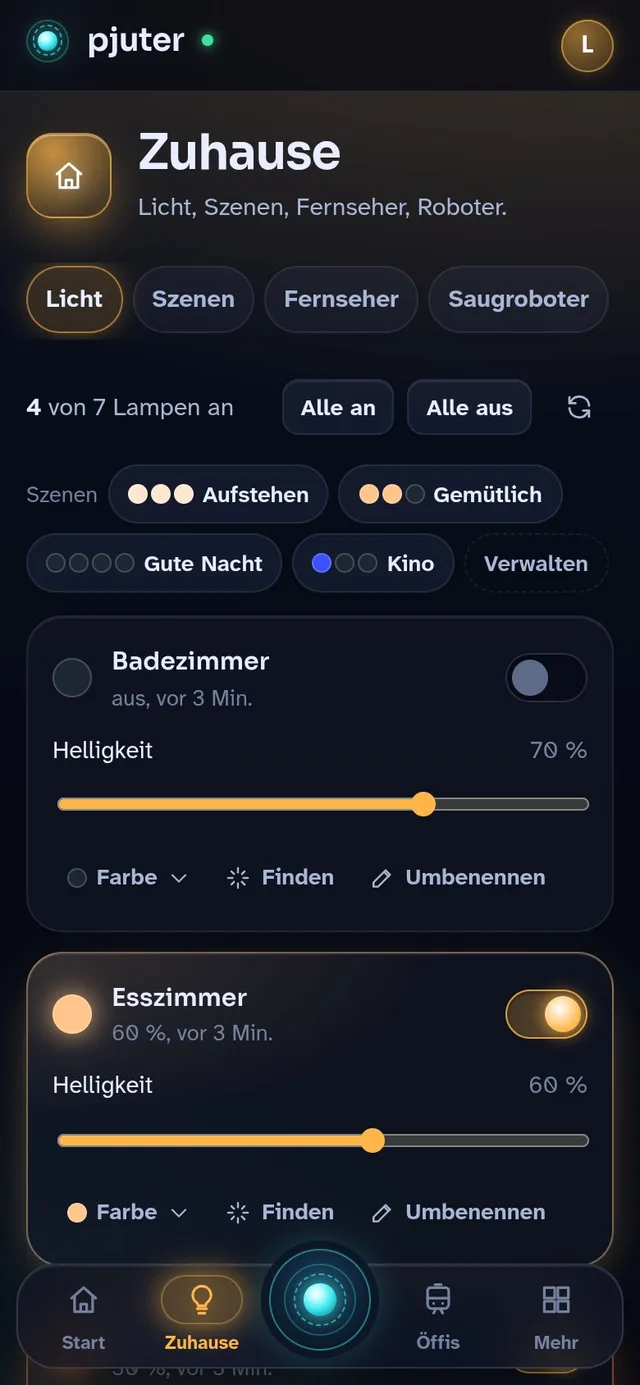
Lamps in every room: colours, brightness and scenes. By voice or with a tap.
Family calendar
Shared and personal appointments, synced with Google, with reminders on the phone.
Public transport
Live departures, saved routes, and the moment you need to leave.
Meals & shopping
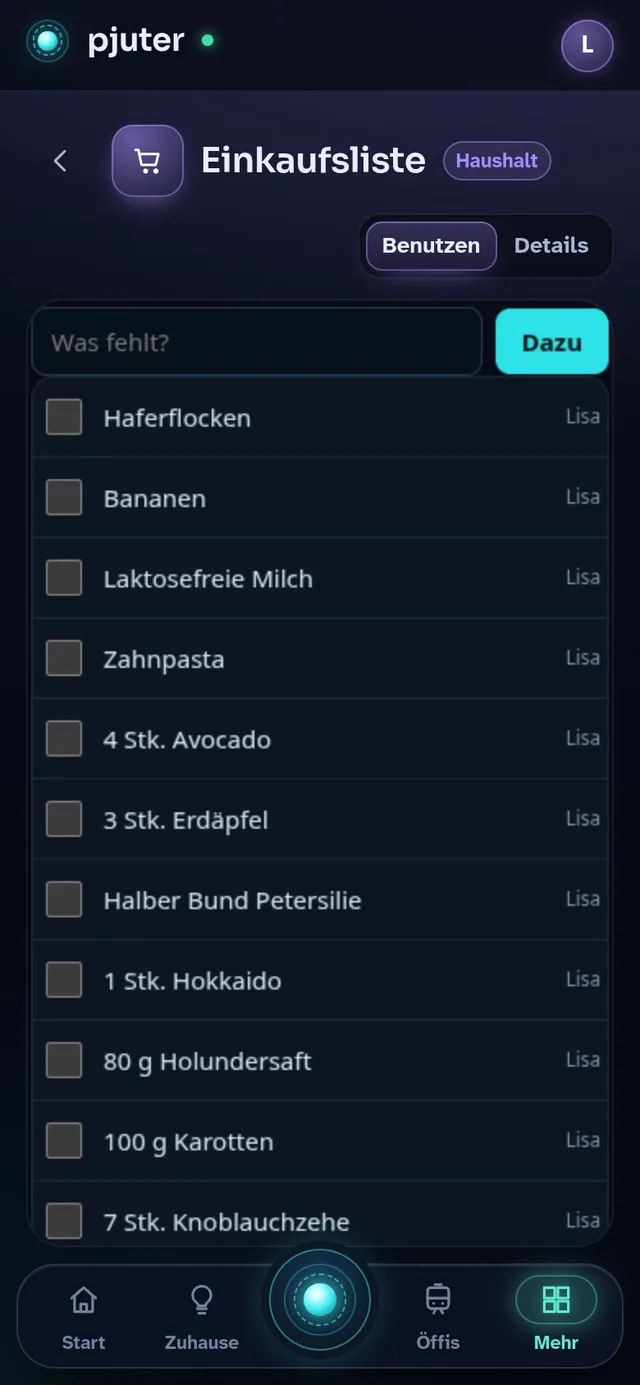
Recipes that suit everyone at the table, a weekly plan and the shopping list to go with it.
Research
Questions that need the internet are researched with Claude, and the result is written up.
Timers & reminders
The egg timer in the kitchen, or a reminder about the bins the next morning.
Memory
It remembers what you tell it, and everyone can see and correct what it knows.
Its own tools
When someone needs a small tool, pjuter builds it itself, such as a shopping list.
Talk instead of type
Just say what you need
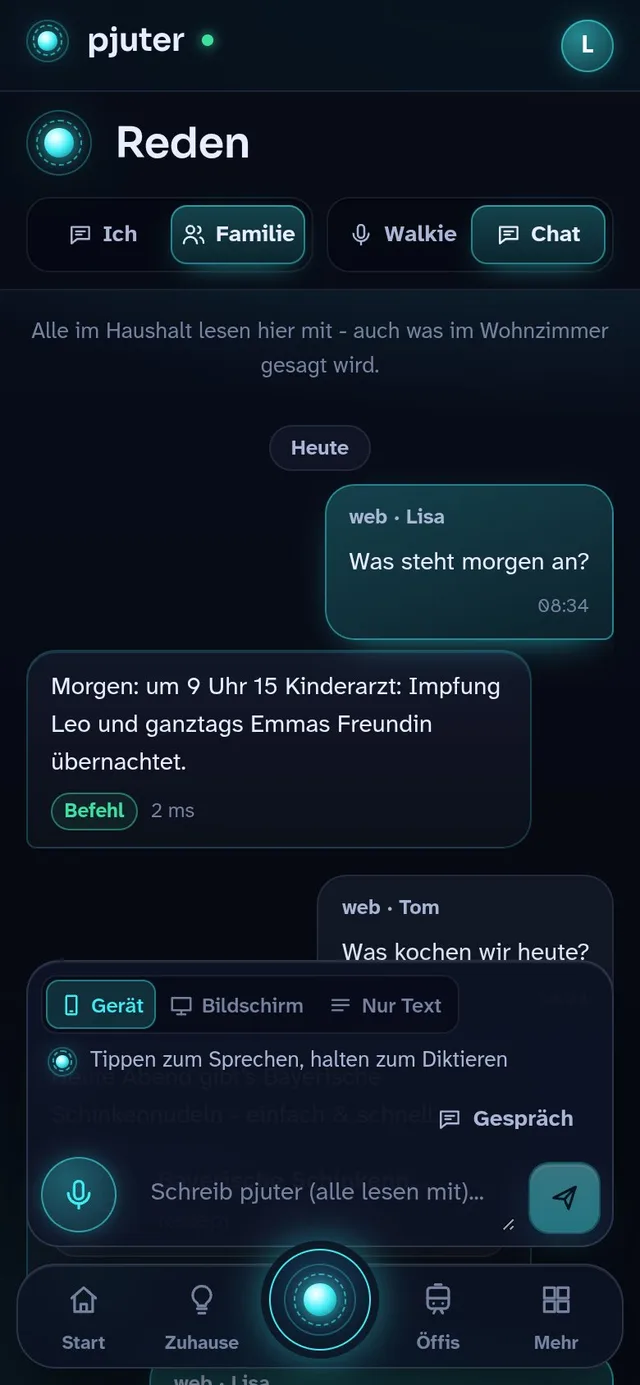
In the living room, you press the voice button on the remote or simply call “Pjuter”. On the phone, you hold the glowing button in the middle and speak, like a walkie-talkie. Let go, and pjuter answers with its voice, in short sentences.
Anything longer than a sentence, such as a recipe or a research result, comes as a page. Every family member has a private conversation room of their own, and in the room “Familie” everyone sees what was said in the living room.
pjuter speaks German, so the examples below are in German, with a translation.
For example
- Pjuter, mach das Wohnzimmer warmweiß. (Make the living room warm white.)
- Stell einen Timer auf zehn Minuten. (Set a timer for ten minutes.)
- Was steht morgen an? (What’s on tomorrow?)
- Was kochen wir heute? (What are we cooking today?)
Home
The light in every room
Every room has a smart lamp. pjuter talks to them directly over the home network, without a detour through the manufacturer’s cloud, so they react at once. One sentence is enough for a colour, a brightness or a whole mood, and on the phone every room switches on and off with a tap.
For example
- Alle Lichter aus. (All lights off.)
- Kinderzimmer auf dreißig Prozent. (Kids’ room to thirty percent.)
Appointments
The whole family’s calendar
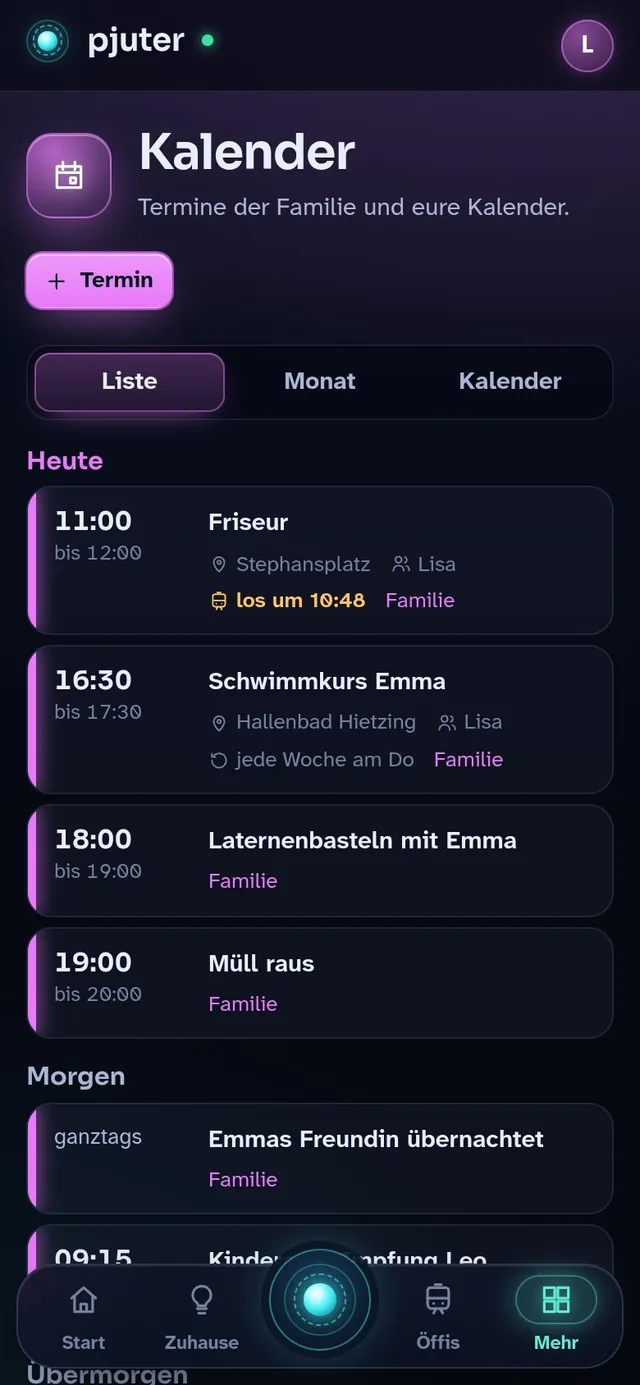
There is one shared family calendar, and everyone can add their own calendars, including the ones from their Google account. You enter appointments in the app or simply say them. Before an appointment, a reminder arrives on the phone.
My favourite detail is “Los um” (leave at): when an appointment has a place, pjuter checks the Vienna public transport timetable and tells you when to set off so you arrive on time. Shortly before, a message says it is time to go.
For example
- Was steht am Wochenende an? (What’s on at the weekend?)
- Trag am Freitag um vier den Schwimmkurs ein. (Add swimming lessons on Friday at four.)
On the move
When is the tram coming?
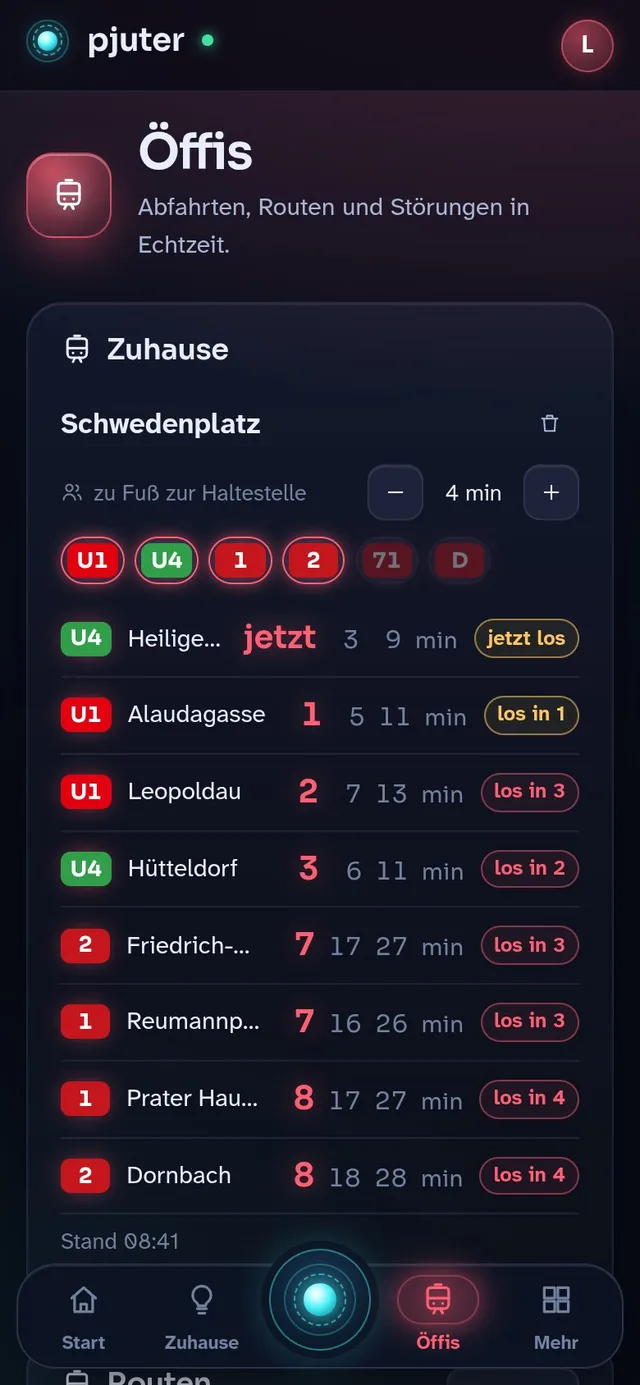
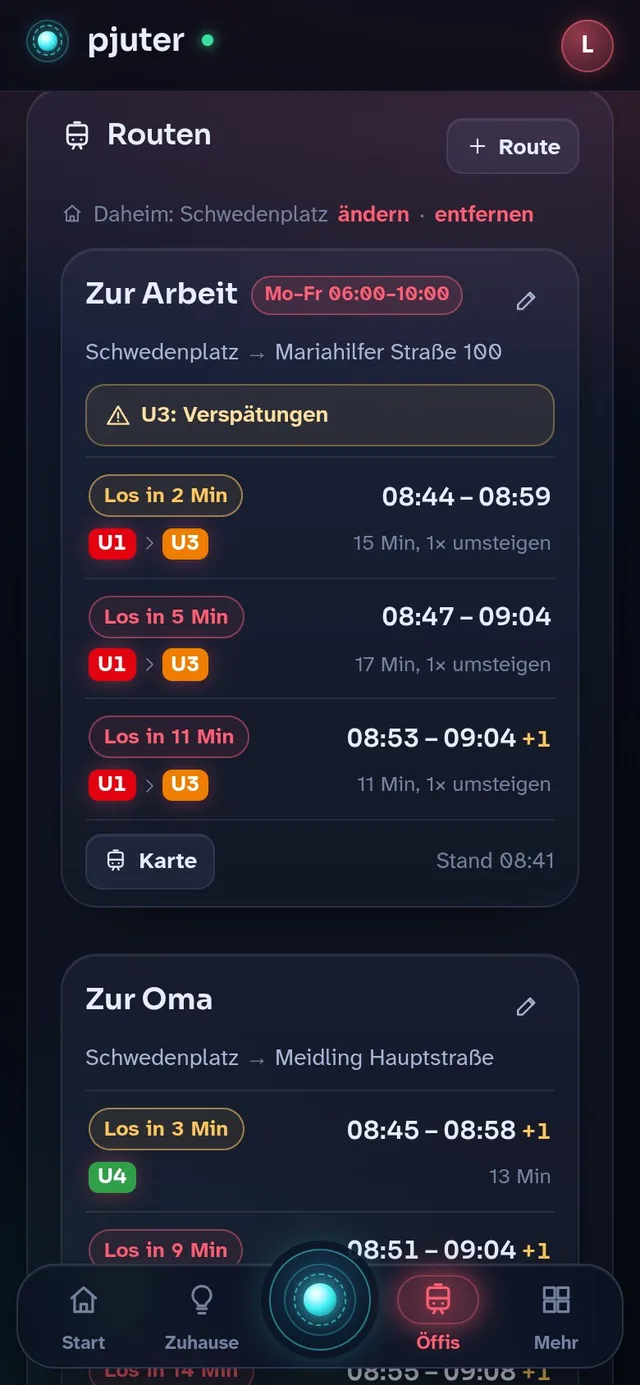
pjuter shows the departures from the stops around our home live, with disruptions and delays. Routes we take often, like the one to work or to grandma’s, are saved once, and then you only ask: when do I need to leave? pjuter accounts for changes and walks and names the next three connections.
For example
- Wann muss ich zur Arbeit los? (When do I need to leave for work?)
- Wie komm ich zur Oma? (How do I get to grandma’s?)
Meals
What are we cooking today?
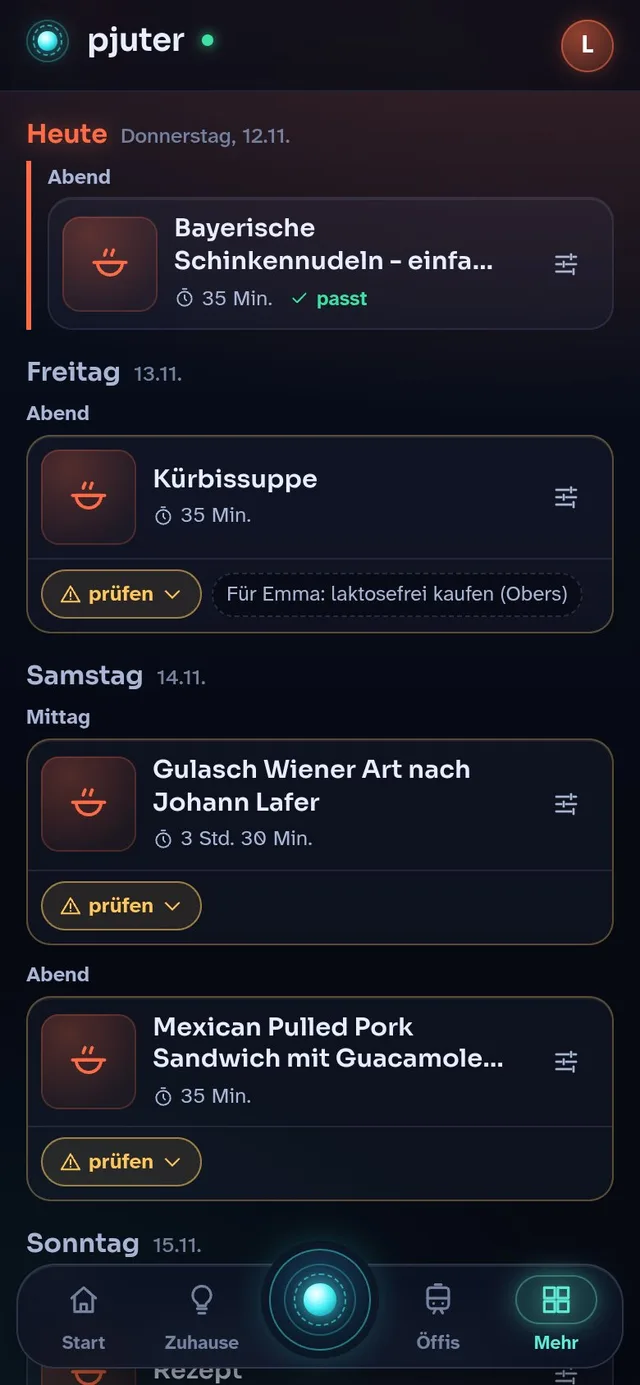
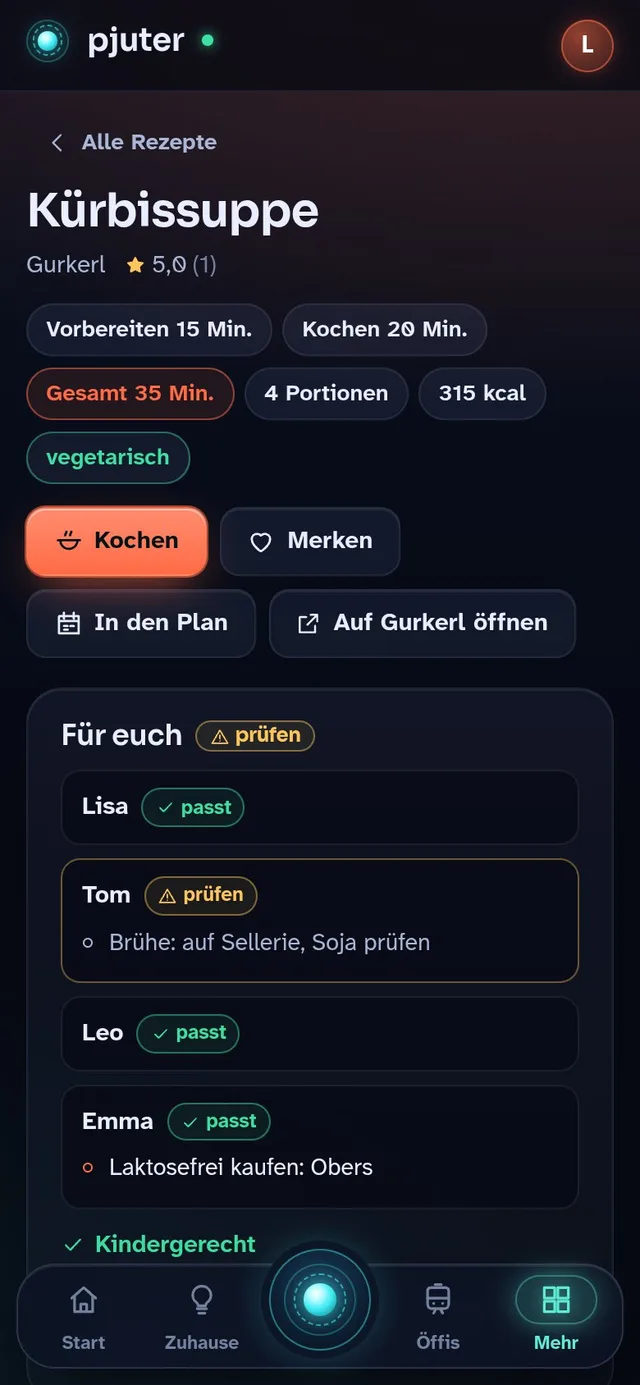
Not everyone in our family eats everything. So everyone at the table has a profile: what they must avoid, what they only tolerate cooked, and what they simply don’t like. pjuter searches recipes from eleven Austrian and German recipe sites and checks every recipe ingredient by ingredient, for each person separately. For ready-made products such as stock, it adds what to look out for when shopping.
From that, it can plan the whole week: varied, with vegetarian dishes, and without the same dish twice in a month. One sentence puts the ingredients on the shopping list, scaled to the number of people eating.
For example
- Plan die Woche. (Plan the week.)
- Such ein Rezept mit Kürbis, kindergerecht. (Find a kid-friendly recipe with pumpkin.)
- Setz die Zutaten für die Woche auf die Einkaufsliste. (Put the week’s ingredients on the shopping list.)
Research
When it takes the internet
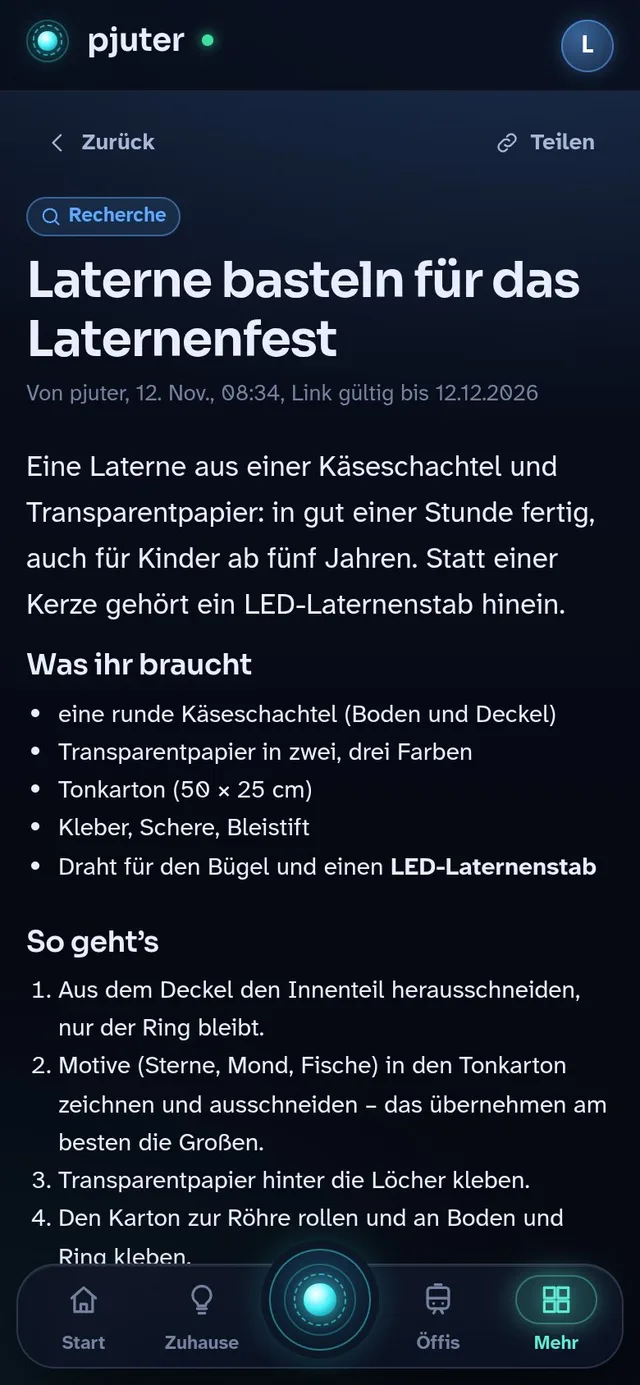
For questions that need more than what the house knows, pjuter gets help from Claude, an AI by Anthropic. Claude searches the web, reads the sources and writes the result up as a clear page. It arrives as a notification on the phone, and in the living room it opens on the TV.
Only requests like these go out. Lights, timers, the calendar and everything pjuter can answer by itself are handled on the computer at home.
For example
- Wie basteln wir eine Laterne fürs Laternenfest? (How do we make a lantern for the lantern festival?)
In the living room
One screen for everyone
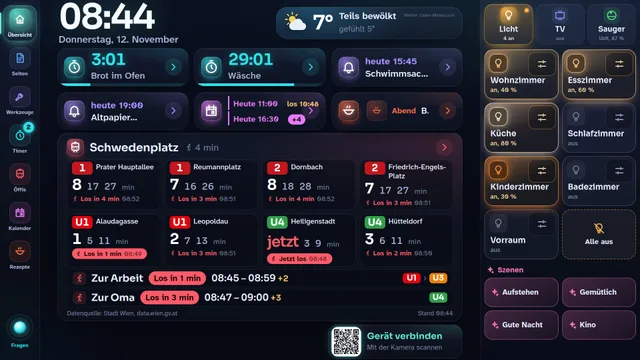
The TV in the living room shows an overview: the time, the weather, the next departures, appointments and running timers. When you talk to pjuter, a glowing circle shows that it is listening, thinking or speaking. Recipes and research results open there in large type, and everything also works by touch.
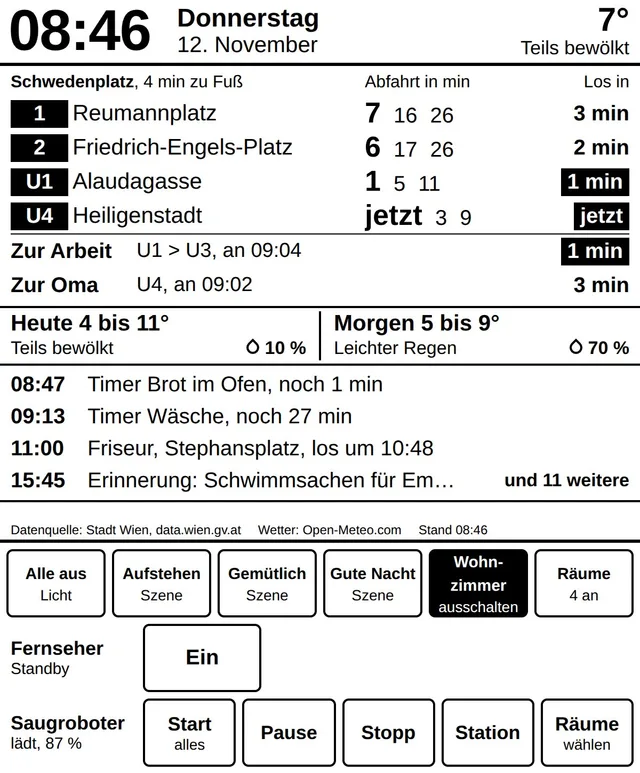
Phones and tablets connect with a QR code on the screen. After that, “show it on the kitchen tablet” is enough, and the recipe moves there. An e-reader with an e-ink display shows the key information around the clock, using almost no power.
Tools
Tools it builds itself
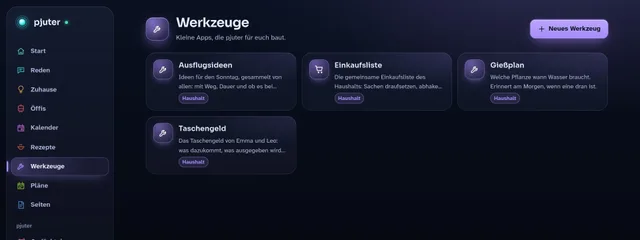
Some things don’t fit any ready-made feature. Then you ask pjuter for a tool, describe in a few sentences what it should do, and Claude builds it, with its own interface, data and voice commands. Every tool runs sealed off in its own folder and may only do what it really needs.
That is how our shared shopping list came about, for example, which can also fill the basket at the grocery delivery service. A new tool is often ready within a few minutes.
Memory
A memory you can see
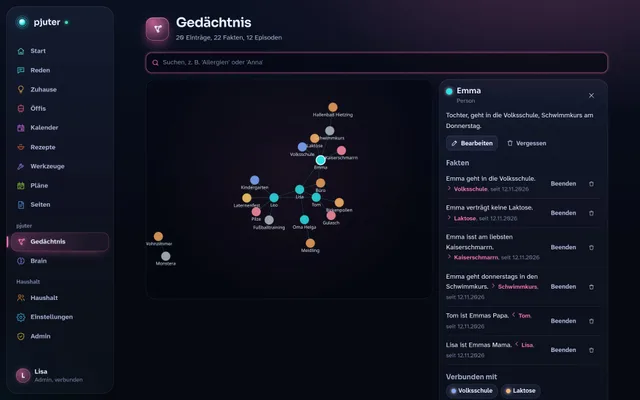
pjuter remembers what you tell it, such as who can’t eat what or when the next parents’ evening is, and links it to the people and things it is about. That builds a web you can search and look at in the app. Everyone can check what is stored and change or delete it. At night, a “gardener” tidies up: it sorts the day’s conversations, merges duplicates and lets stale things fade into the background.
For example
- Merk dir, dass Emma keine Laktose verträgt. (Remember that Emma is lactose intolerant.)
How pjuter thinks
Three tiers, from the fastest to the smartest
Not every question needs a big AI. pjuter answers every request on the fastest tier that can solve it. That keeps it quick and keeps most things in the house.
Instant
Fixed phrases like “lights off” or “timer for ten minutes” are recognised directly, in well under a second.
Local
Anything freer is understood by a small language model running on the computer in the living room, with no internet at all.
With Claude
For research, pages and new tools, Claude Code takes over, with its own tools for lights, memory and notifications.
Privacy
What stays at home
A microphone in the living room is a matter of trust. That is why pjuter follows clear rules:
Speech is recognised only on the computer at home and is not stored. A sentence that doesn’t start with “Pjuter” is discarded at once.
Only text goes to Claude: requests pjuter can’t handle by itself, and the nightly tidy-up of its memory. Everything else stays local.
The lamps are controlled on the home network, without a cloud.
Everything personal in the app needs a sign-in, which on a phone is just a fingerprint or a face.
Under the hood
What pjuter is made of
For those who want the details: pjuter runs on a single small computer without a dedicated graphics card. Apart from the AI models and a few libraries, it is all its own code, in TypeScript.
One mini PC
An AMD Ryzen 7 with 14 GB of memory and integrated graphics, which also runs the language model.
Hearing and speaking
Speech recognition with Whisper and FastConformer, the voice with Piper. All local, through sherpa-onnx.
Local language model
Qwen3 with 4 billion parameters through llama.cpp, on the integrated graphics via Vulkan.
Claude Code
The “brain” for the big things, connected through its own MCP server with pjuter’s tools.
Node.js and SQLite
The core in TypeScript on Node.js. Memory, calendar and recipes live in SQLite, with full-text and vector search.
Web app
React and Vite, installable as an app on the phone, with push notifications through a self-hosted ntfy.
Curious?
pjuter is a private project and not publicly available. If you have questions about it, or are wondering what an assistant like this could look like in your home or your company, write to me.